Safe batch compression
Exclude system files and archive the originals before processing
The easiest route is to give the task to hosting support or a developer. Explicitly require original formats, dimensions and filenames to remain unchanged and request total weight before and after.
Message for the developer
Compress the images used by the website without
changing format, dimensions or filenames.
Archive all originals before replacement.
Exclude caches, backups and system directories.
Report file count and total weight before and after,
with savings in MB and percent.Processing sequence
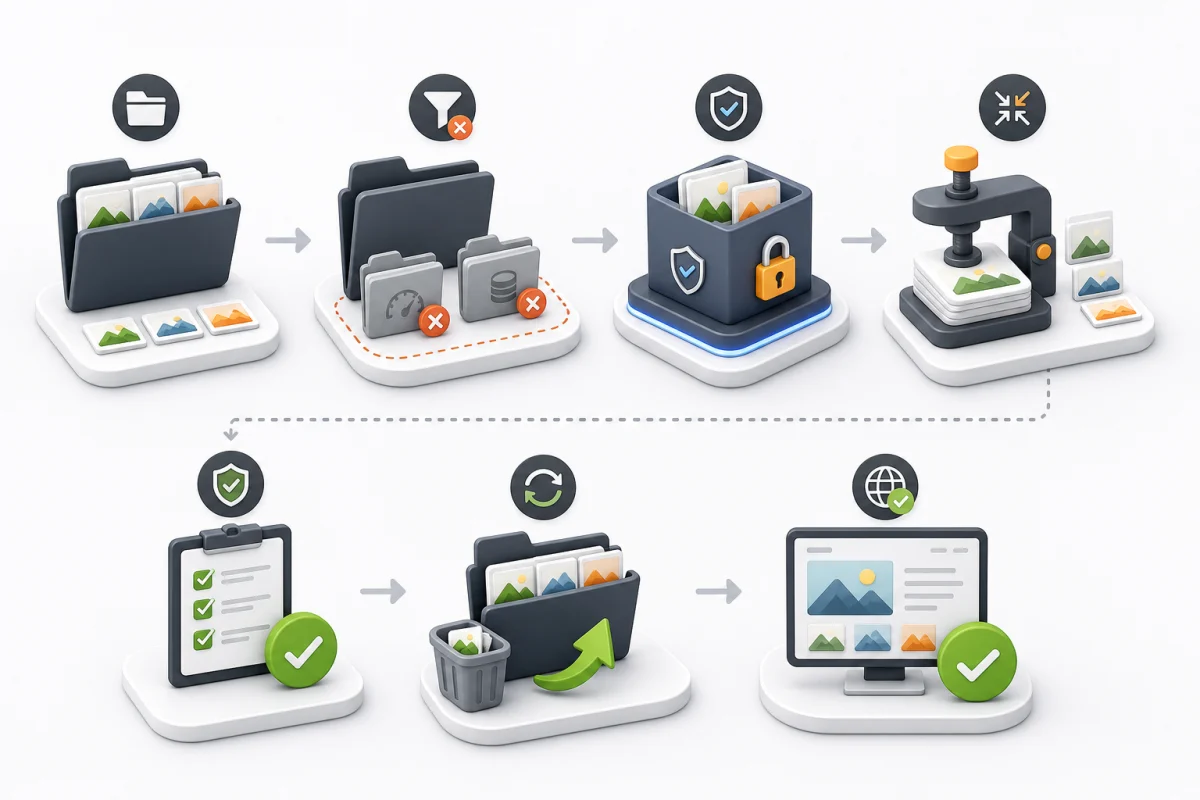
- Identify images for the selected page or complete site.
- Exclude backups, thumbnail caches and system folders.
- Create a separate archive of the originals.
- Batch-compress working files while retaining format, dimensions and name.
- Automatically check every file and visually compare a sample.
- Calculate weight and savings, then upload the files.
- Clear only the required cache and test key pages.
- Keep originals for at least seven days.
Tools and technical notes
TinyPNG/TinyJPG and similar tools suit a small selection. For larger volumes, use a batch tool that rewrites JPEG, PNG, GIF or SVG in its original format and reports processing failures.
Do not rename an extension
Renaming JPEG to WebP does not convert it and can break rendering. If the CMS generates thumbnails, confirm it will not recreate uncompressed copies.
WebP/AVIF, resizing, srcset, sizes and loading="lazy" are outside this work. After processing, perform an independent image check.
