How to configure Resource Hints
Find late discovery or costly connection setup in Network first. Add a precise hint matching the consuming request, then remove it when a repeat trace shows no benefit.
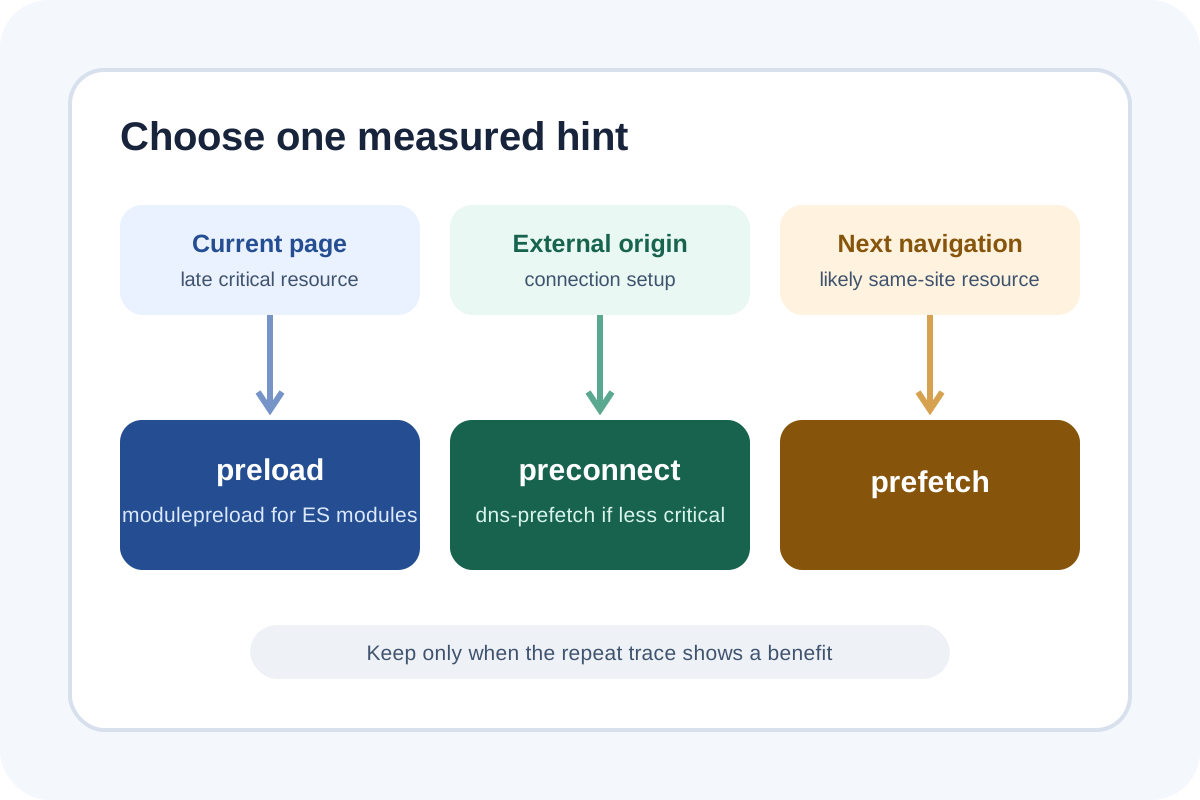
The safest route
Message for a developer
“Record an uncached mobile/desktop waterfall, identify a late-discovered critical resource or early cross-origin connection. Add only the required preconnect/preload/modulepreload/dns-prefetch with exact href, as, type, crossorigin/media. Verify reuse, duplicate downloads, unused-preload warnings, priority and LCP before/after; remove unhelpful hints.”
Back up the head/Link header and trace, and record the LCP element/resource and initiator. Change one hint at a time to expose contention and effect.
Choose the hint
| Task | Hint | Constraint |
|---|---|---|
| Early critical request to another origin | preconnect | Only a few most critical origins |
| Less important likely cross-origin request | dns-prefetch | DNS only, no TCP/TLS |
| Late-discovered critical current-page file | preload | Exact as/CORS and actual use |
| Critical ES module | modulepreload | Do not blindly substitute script preload |
| Likely resource for next same-site navigation | prefetch | Low priority and cache/browser limits |
Implementation steps
- Enable Disable cache and Priority/Initiator in Network; record mobile loading.
- Find the LCP resource and files discovered through CSS/JS; break origin setup into DNS, Initial connection and SSL.
- Confirm normal markup cannot expose the resource early—an LCP image is best discoverable in source HTML.
- Add the hint early in
head. Avoid same-origin preconnect and unnecessary preload of already-early styles/scripts. - Match URL, destination, CORS credentials and media with the consumer or the browser can fetch twice.
- Reload, wait for unused-preload Console warnings, and inspect start time, priority and reuse.
- Repeat on mobile/desktop; retain only consistent improvements without harming LCP or other critical requests.
Technical examples
<link rel="preconnect" href="https://fonts.example" crossorigin>
<link rel="dns-prefetch" href="https://analytics.example">
<link rel="preload" href="fonts/main.woff2"
      as="font" type="font/woff2" crossorigin>
<link rel="preload" href="images/hero.webp"
      as="image" type="image/webp" fetchpriority="high">
<link rel="modulepreload" href="assets/app.js">
Do not paste the entire list. Font preload is for an early-used font; responsive images may need imagesrcset/imagesizes; cross-origin mode must match the consuming request.
Do not preload everything important
Preload raises network contention and can delay CSS, LCP or other resources. An already discoverable LCP image may only need a normal img with fetchpriority="high".
Rollback and scope
On double fetching, unused warnings or a worse waterfall, remove the latest hint, clear HTML/CDN cache and repeat the trace. Then perform the independent audit.
Speculation Rules/prerender, font/image optimization, CDN/TTFB and bundle architecture are separate work.
