Syntax, entity, image, and access
How to Audit Organization Logo
A validator must confirm the code, while manual checks prove the node describes a real organization, avoids duplicate conflicts, and points to an accessible logo.
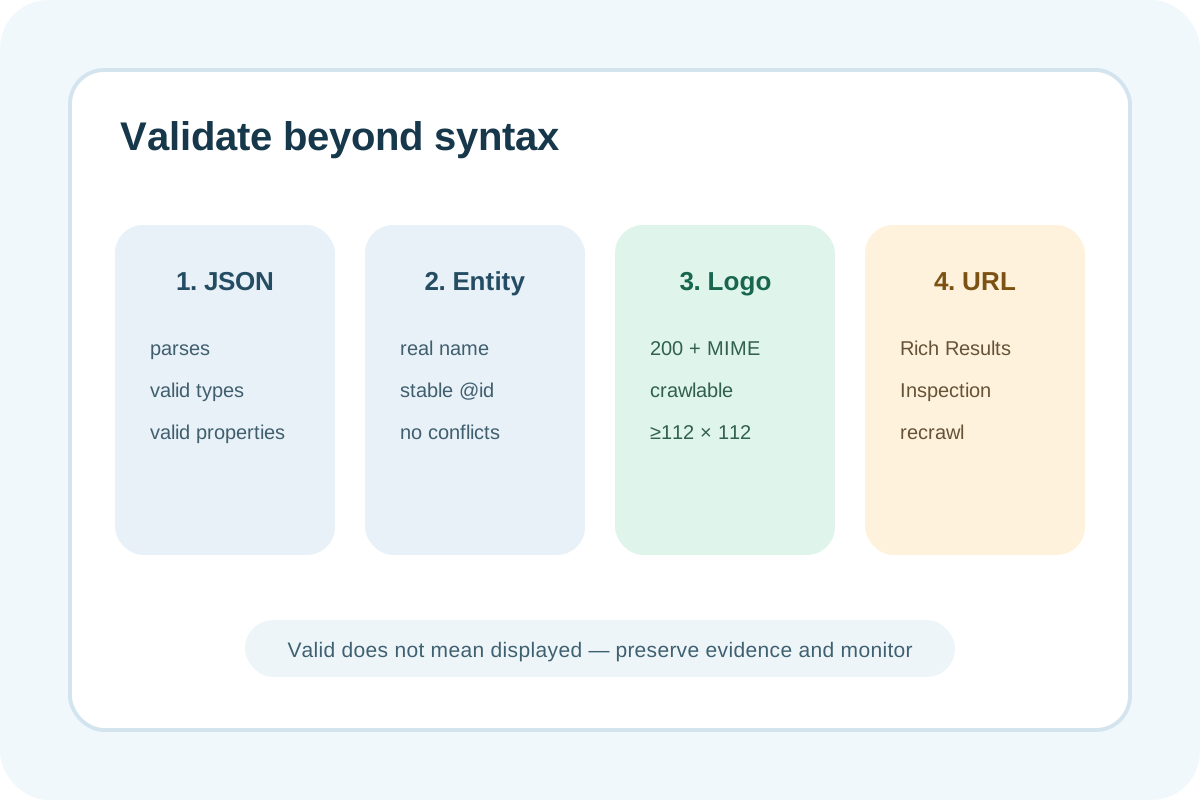
Audit steps
- Find every JSON-LD/Microdata/RDFa Organization node in server HTML and rendered DOM.
- Compare
@type,@id, name, url, logo, and sameAs with visible official details. - Check the logo separately: absolute URL, status 200, image MIME, ≥112×112, crawl/index access, and white background.
- Find duplicate nodes with different @id/name/logo from theme, plugin, and manual sources.
- Run Schema Markup Validator, Rich Results Test, and URL Inspection on the published page.
- Save dates, tools, and evidence; monitor Search Console and recrawling after deployment.
Classification
| Observation | Level | Action |
|---|---|---|
| One accurate node, accessible logo, clean tests | No issue | Preserve baseline |
| Verified optional fields absent | Low | Add only with a reliable source |
| Generic type, @id/logo conflict, or poor white-background display | High | Merge entity and repair media |
| False organization, 404/blocked/under-112 logo, or unparsable JSON | Critical | Repair or remove misleading markup |
Evidence to save
- Page URL, canonical, server HTML, and discovered nodes.
- @type/@id and source for every property.
- Logo URL, status, MIME, pixel dimensions, and white-background screenshot.
- Validator/Rich Results Test/URL Inspection results and dates.
- Duplicate decision, owner, and retest.
A missing Search logo does not prove an error: display is not guaranteed and recrawling takes time. Valid syntax does not prove truthfulness. Test Googlebot access and do not conflate Organization with separate LocalBusiness requirements.
Next step
Follow the implementation guide or use the Organization logo service.
