Content, metadata, media access, and eligibility
How to Audit VideoObject
The audit must prove users and crawlers encounter the same video, required fields are accurate, and thumbnail and player/media are accessible.
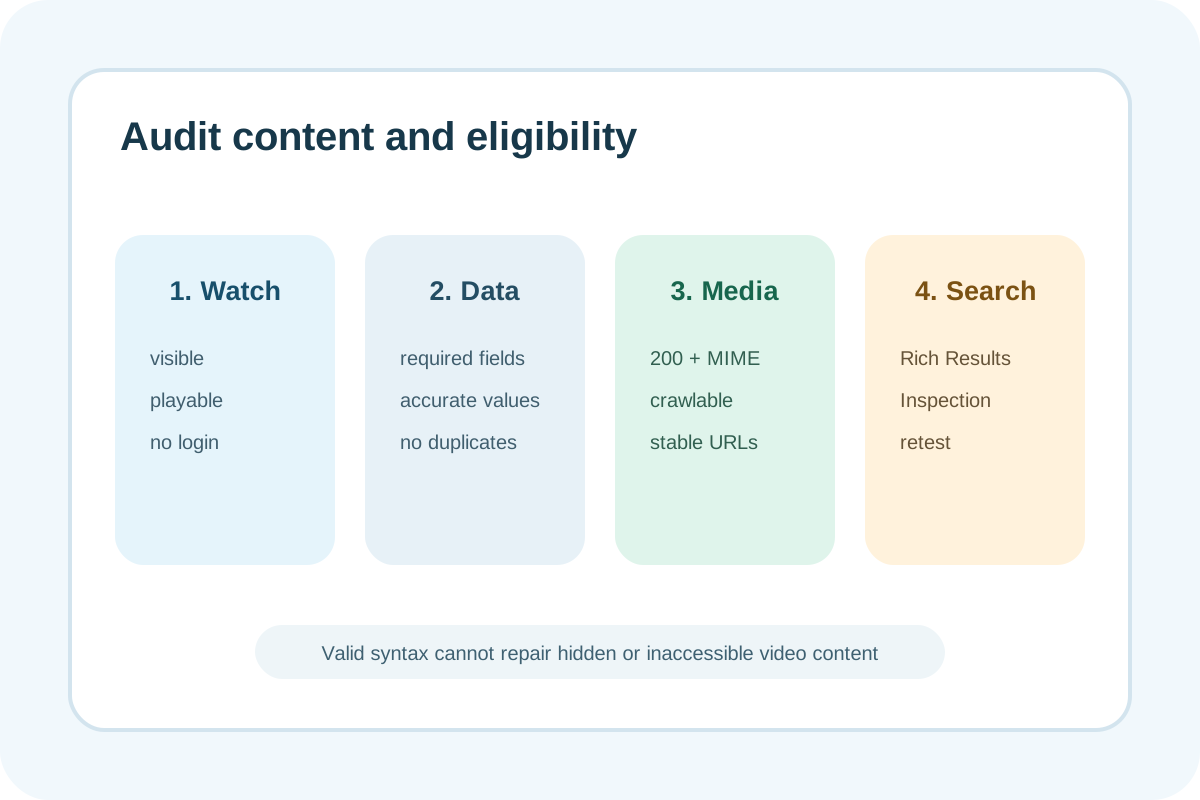
Audit steps
- Confirm the video is prominent on a watch page, accessible without login, and actually playable.
- Find every VideoObject node and match each to a specific visible player.
- Verify unique
name,thumbnailUrl,uploadDate, accurate description/duration, and applicable fields. - Open thumbnail/content/embed URLs: final status, MIME, robots/WAF/auth, bytes/player, and stable URL.
- Run Rich Results Test and URL Inspection on rendered HTML; preserve critical and non-critical issues.
- For Clip/SeekToAction, test each timestamp deep link; for LIVE, verify dates/state and Indexing API lifecycle.
Classification
| Observation | Level | Action |
|---|---|---|
| Visible playable video, accurate required fields, accessible media | No issue | Preserve baseline |
| Optional field absent without an eligibility error | Low | Add with a reliable source |
| Duplicate node, stale metadata, duration/date mismatch | High | Repair template mapping |
| Video unwatchable, required field absent, media blocked/404, or broken JSON | Critical | Repair or remove misleading markup |
Evidence to save
- Watch URL, canonical, player location, and server/rendered HTML.
- Complete VideoObject and source for every field.
- Thumbnail/content/embed final URL, status, MIME, and access evidence.
- Playback screenshot, duration/date comparison, and locale.
- Rich Results Test/URL Inspection, date, owner, and retest.
A green validator does not guarantee video indexing or a rich result. Lazy/click-to-load players may appear late to crawlers; geo, consent, login, and WAF cause differences. YouTube metadata and page JSON can diverge after a video update.
Next step
Follow the guide or use the VideoObject setup service.
