Headers and size must support each other
How to audit Gzip and Brotli
Request one text resource with and without compression support, then compare Content-Encoding, Vary and transferred bytes. Repeat for HTML, CSS and JavaScript through the public CDN.
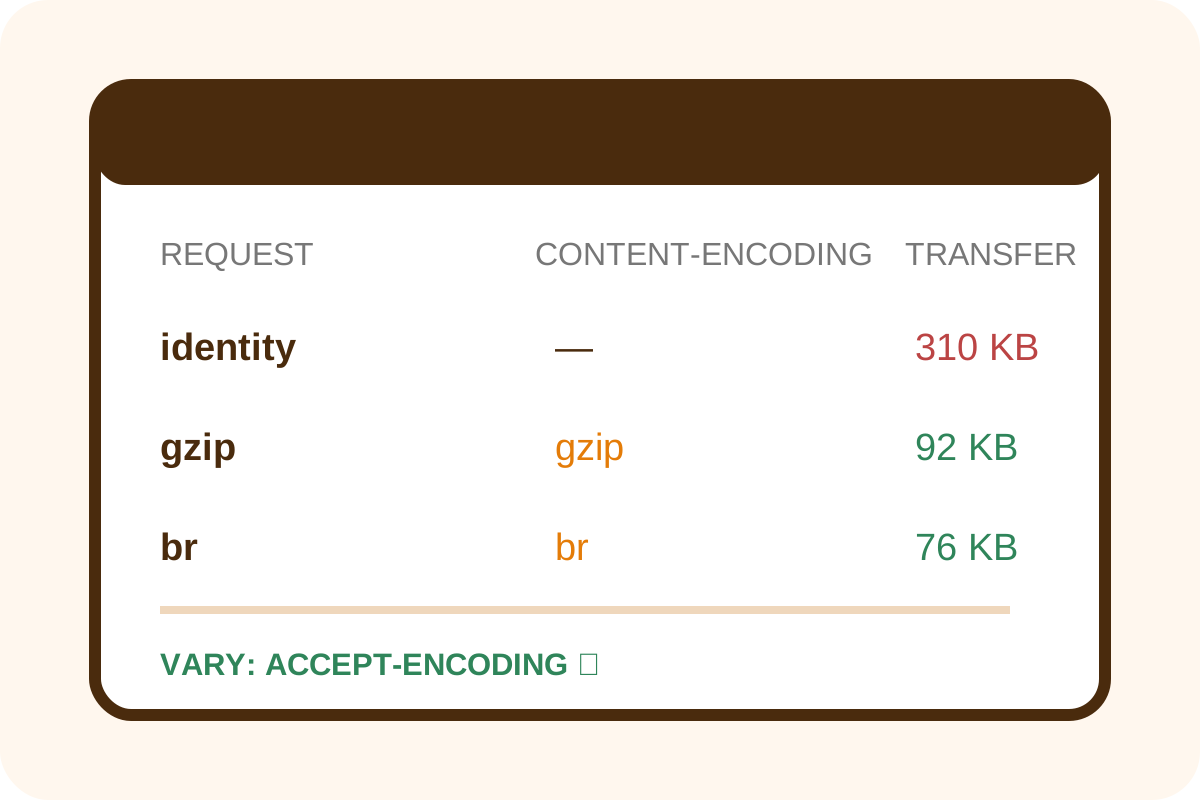
Quick DevTools check
- Open the page in a clean window, DevTools → Network, enable Disable cache and reload.
- Select a large first-party HTML, CSS or JS response, not an image or third-party origin.
- Find
Content-Encoding: brorgzipandVary: Accept-Encodingin Response Headers. - Compare Transferred with Resource Size. Transfer is normally smaller for compressible text.
- Repeat for dynamic HTML and several asset types on desktop/mobile.
Good result: the server selects an accepted encoding, returns an intact response, separates cache variants and avoids needless HTTP recompression of already-compressed binary formats.
How to rate findings
| Observation | Level | Action |
|---|---|---|
| Large text response has br/gzip, Vary and lower transfer | No issue | Save headers and sizes |
| A tiny text response is uncompressed | Usually fine | Check threshold and real benefit |
| Large HTML/CSS/JS responses use identity | High | Check MIME, origin, CDN and rules |
| Response is corrupt or client gets unsupported encoding | Critical | Roll back filter and purge cache |
Independent curl check
curl -sS -D gzip.headers --compressed \
  -o gzip.body https://example.com/app.js
curl -sS -D identity.headers \
  -H 'Accept-Encoding: identity' \
  -o identity.body https://example.com/app.js
wc -c gzip.body identity.body
rg -i 'content-encoding|vary|content-type' *.headers
--compressed decodes the body before saving, so both files should match in content and decoded size. Measure network savings separately with curl -w '%{size_download}' -o /dev/null for each request.
Discrepancies and scope
- HEAD may be handled differently; use GET for transfer-size evidence.
- CDN, geography, HTTP version and cache can yield different encodings across runs.
- Missing Gzip for JPEG/PNG/WebP/MP4/ZIP is normally not a problem.
- Brotli need not appear when the client does not offer it or the delivery layer lacks support.
- Your origin configuration cannot fix compression on a third-party domain.
Automated pricing applies to the agreed URLs and delivery layers on the service page. Use the step-by-step guide for repairs.
