From measurement to repeat testing
Repair the cause of late LCP in the relevant template
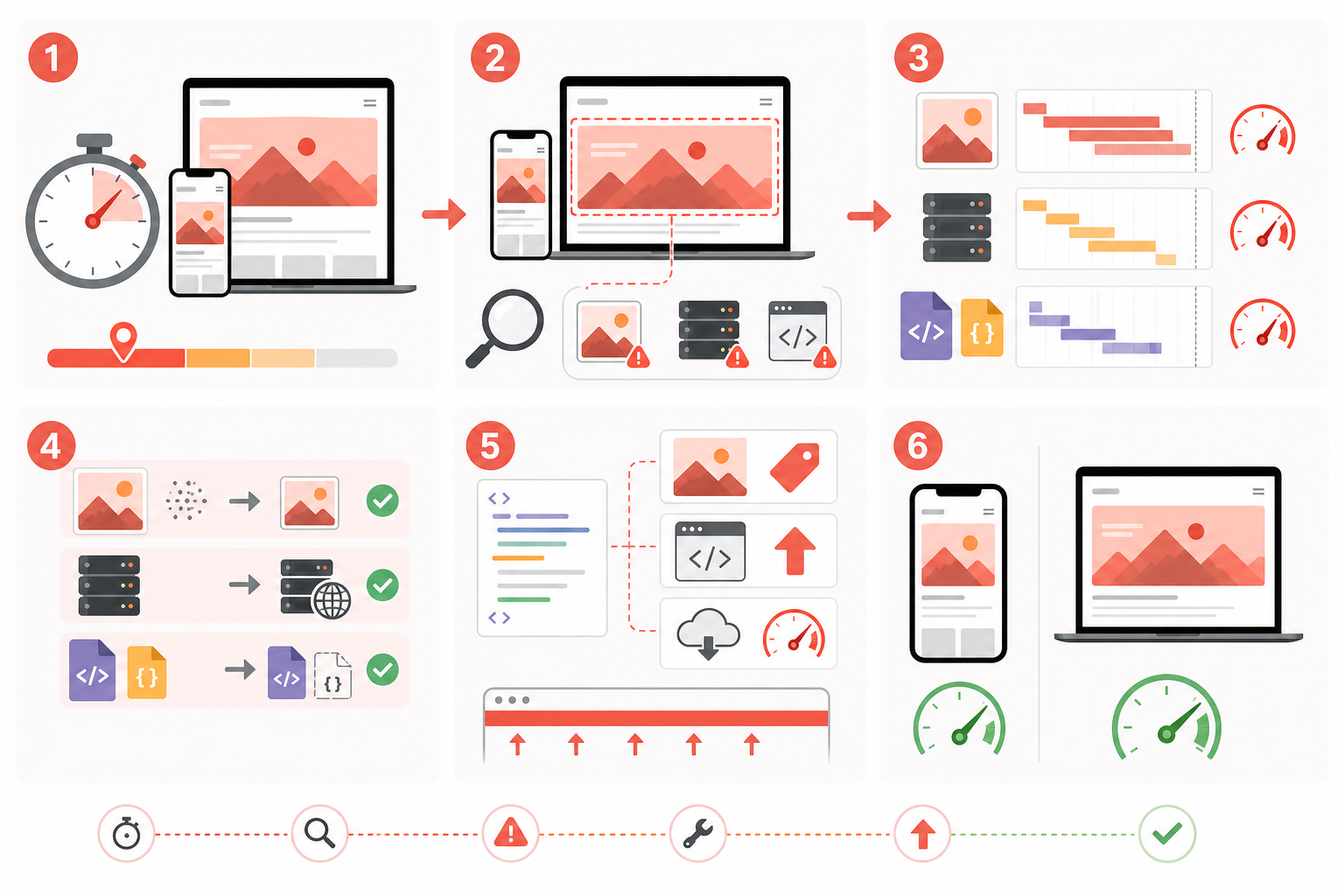
The same metric can come from a slow server, late-discovered image, blocking CSS, font or JavaScript. Identify the LCP element and delay phase before changing anything.
The safest route
“Check LCP at [URL]. Identify the LCP element and timing phases. Back up the template, repair its cause and provide repeat mobile and desktop tests. Do not reduce image quality or alter appearance without approval.”
Sequence
- Identify the URL’s page template.
- Save the original PSI/Lighthouse report and LCP element.
- Separate TTFB, resource load delay, resource load time and render delay.
- Back up theme, template and optimisation settings.
- Repair the dominant cause.
- Clear relevant caches and repeat several runs.
- Check other pages sharing the template.
Technical notes
- TTFB: page caching, database work, server and CDN.
- Load delay: expose the LCP image in HTML; do not lazy-load it; use preload or
fetchpriority="high"when justified. - Load time: compress and size the resource without mixing this with a separate bulk-image service.
- Render delay: critical CSS, fonts, hydration and long JavaScript tasks.
Do not give every image high priority or remove code blindly; resource competition can make performance worse.
After repair
Repeat the independent check on the same URL and 2–3 other pages using the template. You can also order the repair.
